macOS Finder Extension
ZipGo
Powerful Finder right-click archiver: effortlessly extract, compress, and preview 30+ formats
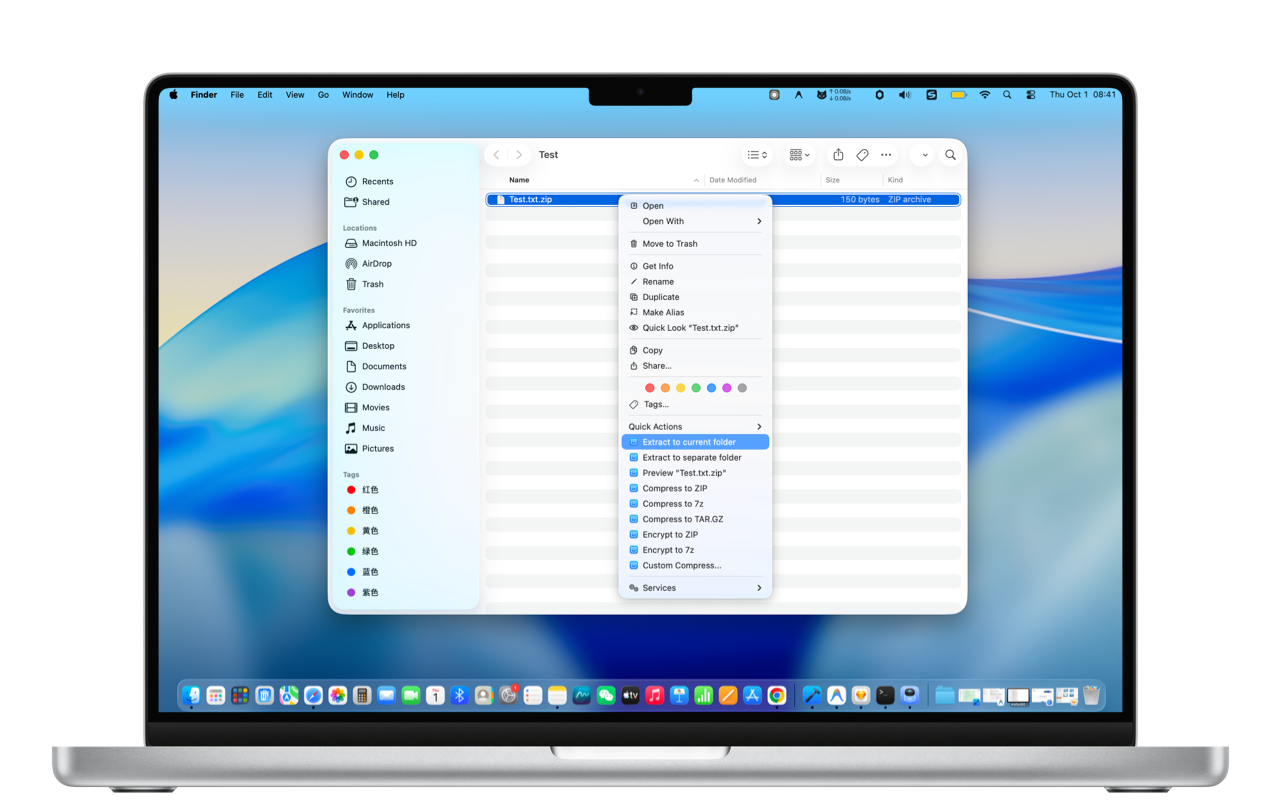
Powerful Finder right-click archiver: effortlessly extract, compress, and preview 30+ formats
Instant actions from right-click, zero cross-app switching
Extract to current directory or automatically create a dedicated subfolder, keeping Finder perfectly clean.
Quickly compress to ZIP, 7Z, or TAR.GZ with customizable compression levels, passwords, and split volumes.
Browse contents inside archives like ordinary folders directly via right-click without decompressing first.
Flawlessly handle 7Z, ZIP, RAR, TAR, GZIP, BZIP2, XZ, ISO, CAB, ARJ, LZIP, VHD, Linux packages, and legacy files.
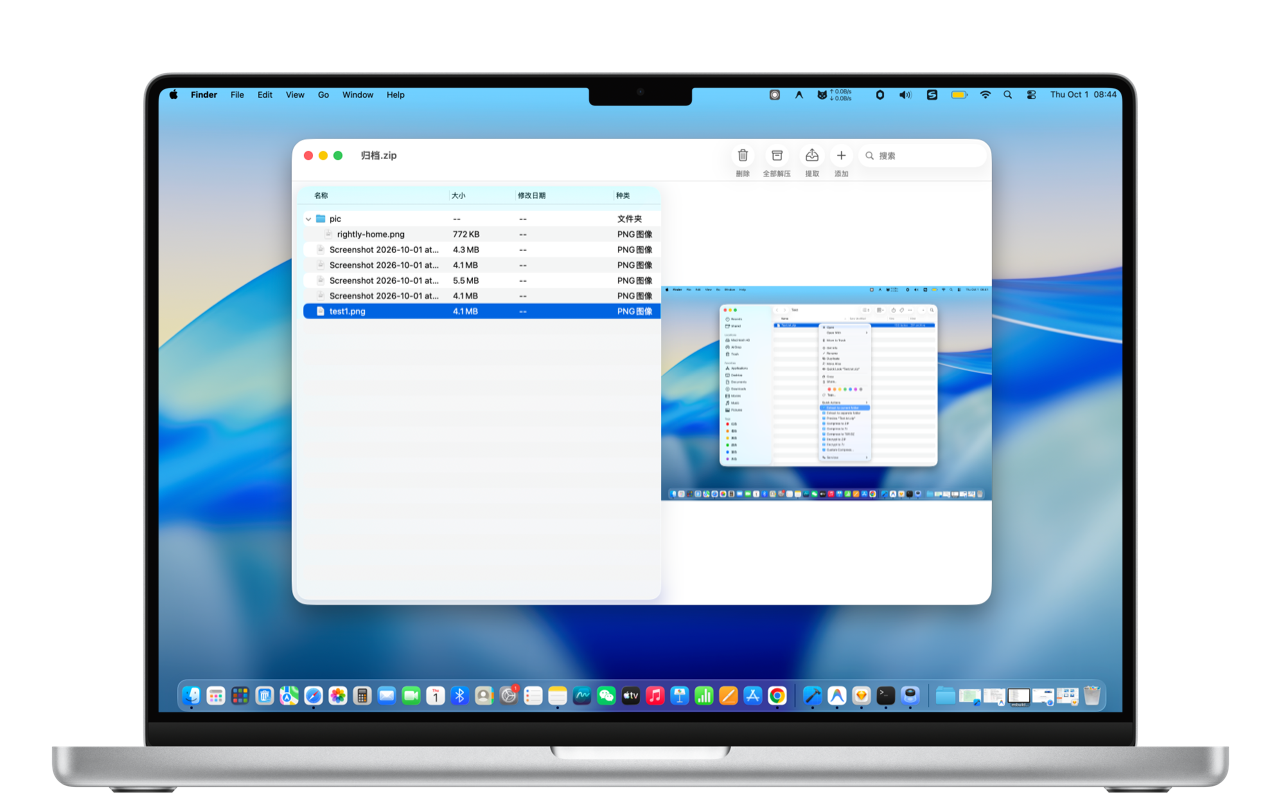
Preview internal documents, images, and nested structures in a flash. Never waste disk space unpacking massive archives just to check one file.
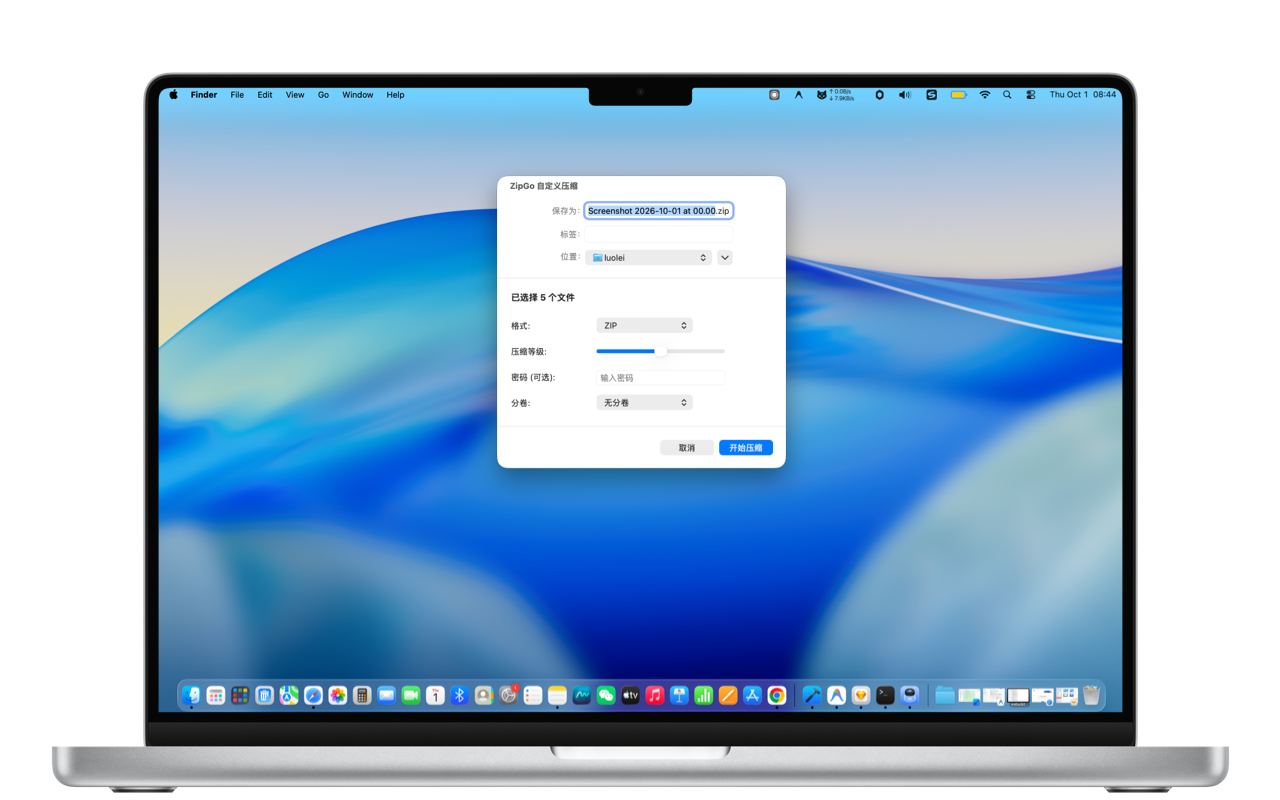
Protect sensitive business files with strong password encryption, and split huge archives into custom-sized chunks to effortlessly meet email limits.
Handle standard archives, Linux system packages, and legacy software files with ease
Compatible with macOS 11+. Free download on Mac App Store.
Download on Mac App Store