macOS Finder Extension
Rightly
Put frequent actions into the context menu for ultimate Mac file management efficiency
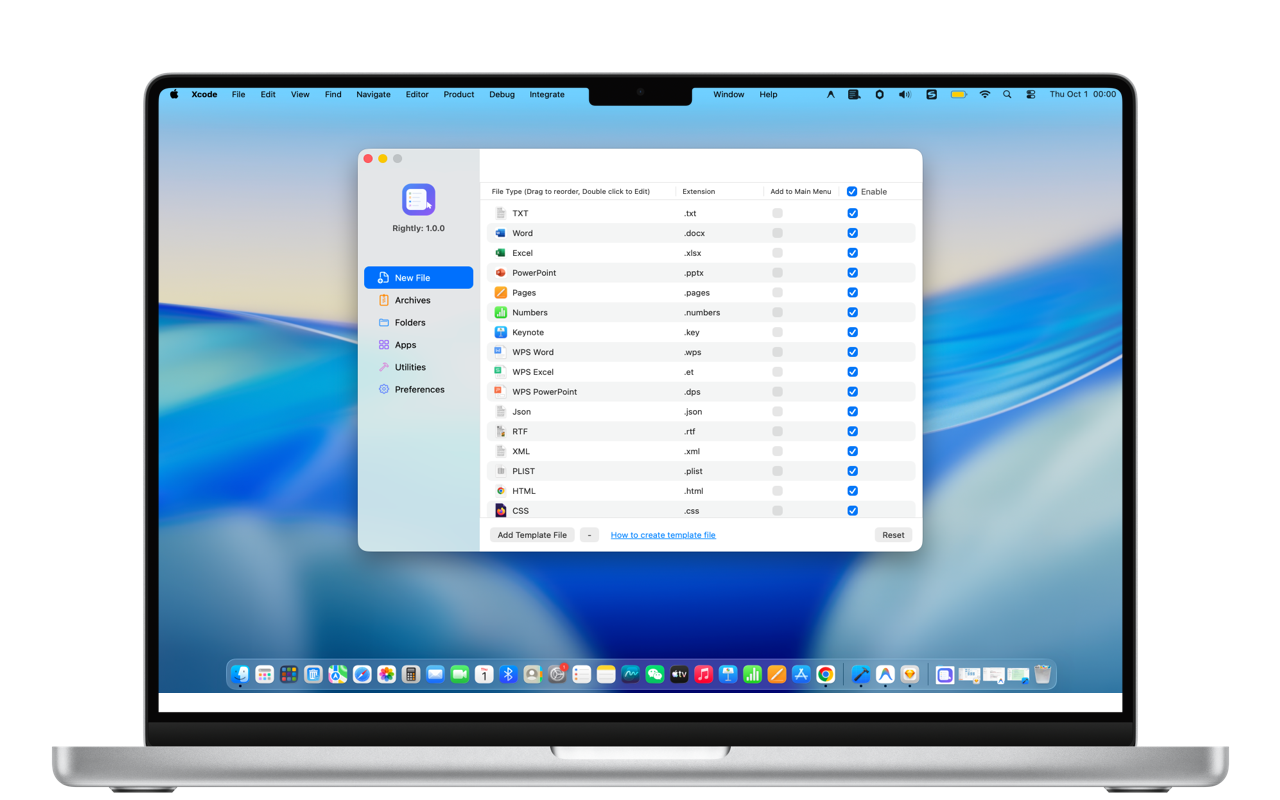
Put frequent actions into the context menu for ultimate Mac file management efficiency
Seamlessly integrated with macOS for effortless everyday operations
Create new files directly from right-click: txt, docx, xlsx, pptx, json, xml, plist, and more. Support custom templates for company docs and project skeletons.
Easily extract and compress 7Z, ZIP, RAR, TAR, GZIP, BZIP2, XZ, ISO, and more. Includes encrypted archives and split-volume compression for email limits.
Pin project directories, download folders, asset libraries, and favorite apps directly to your context menu. Eliminate repeated window navigation.
Built-in tools: copy file path, copy file name, show/hide file extensions, AirDrop files, and open terminal at current path instantly.
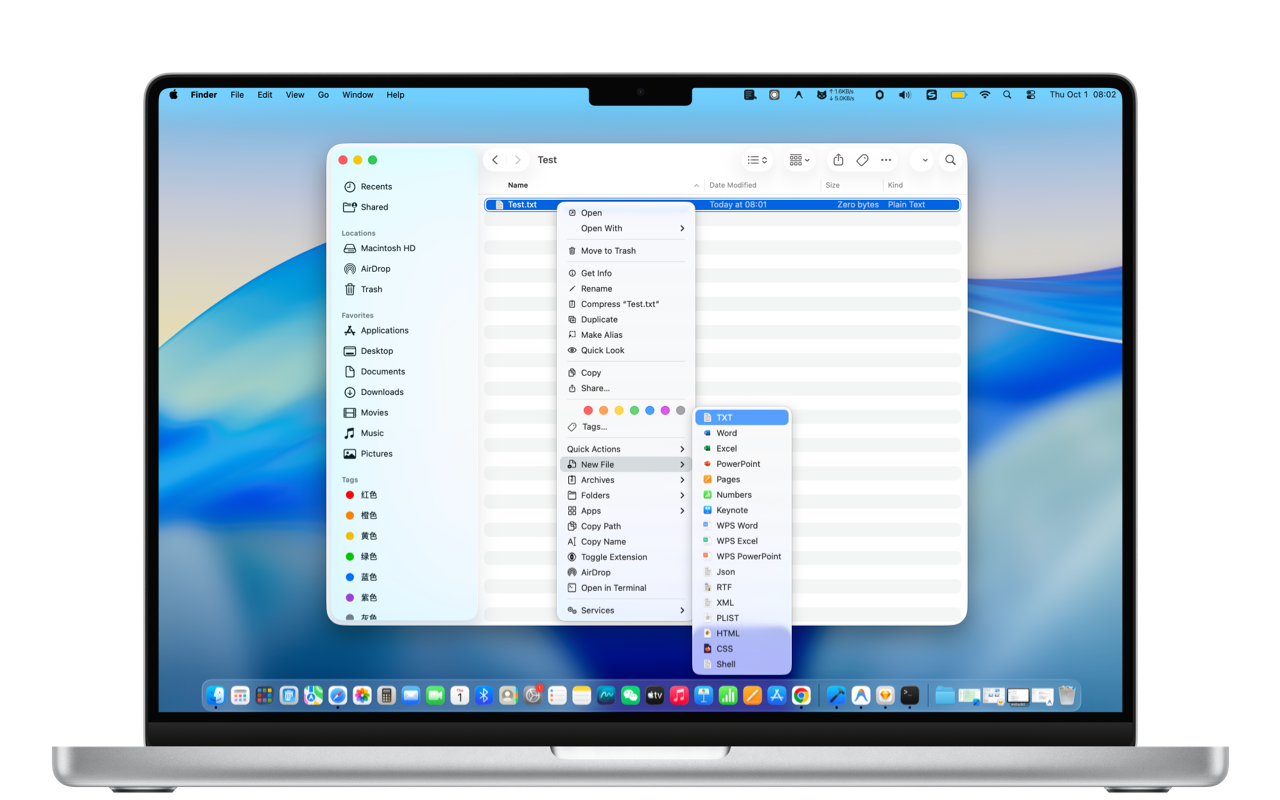
Never open an office suite just to create an empty document. Choose from 10+ built-in formats or add your own team templates.
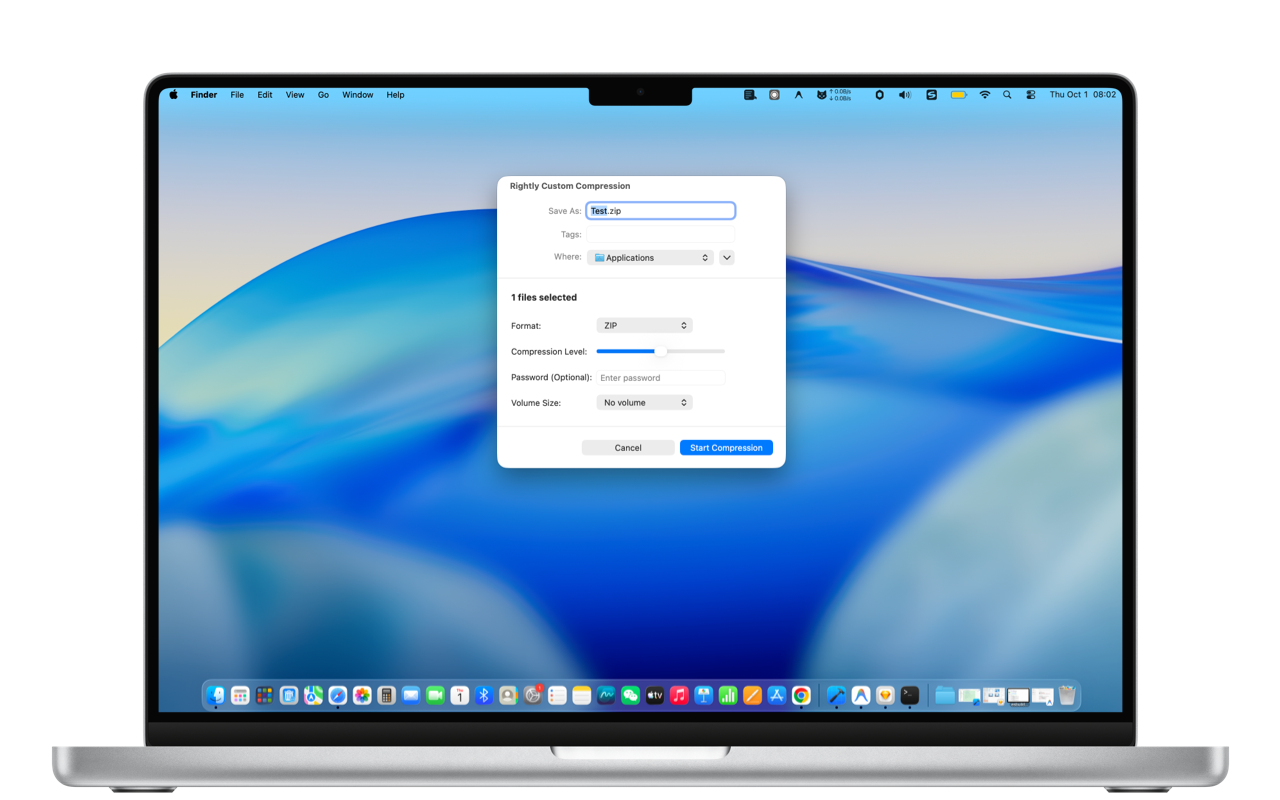
Protect confidential commercial data with custom passwords, and slice large archives into parts to easily fit email attachment limits.
Tailored features designed for diverse workflows on macOS
Create json/xml/plist in seconds, copy file paths, and launch terminal directly in the current folder.
Quickly new docx/xlsx/pptx files, encrypt sensitive sheets, and split-compress for email sending.
Jump straight into asset libraries, share designs via AirDrop, and keep Finder organized.
Archive courseware, compress research projects, and access daily tools without friction.
Compatible with macOS 12+. Free download on Mac App Store.
Download on Mac App Store