100% Offline Local Processing · Zero Cloud Upload
AConverter
Universeller Audiokonverter für Mac: Streaming-Formate umwandeln, Audio aus Videos extrahieren, 8-Thread-Parallelarbeit und 100 % lokale Verarbeitung
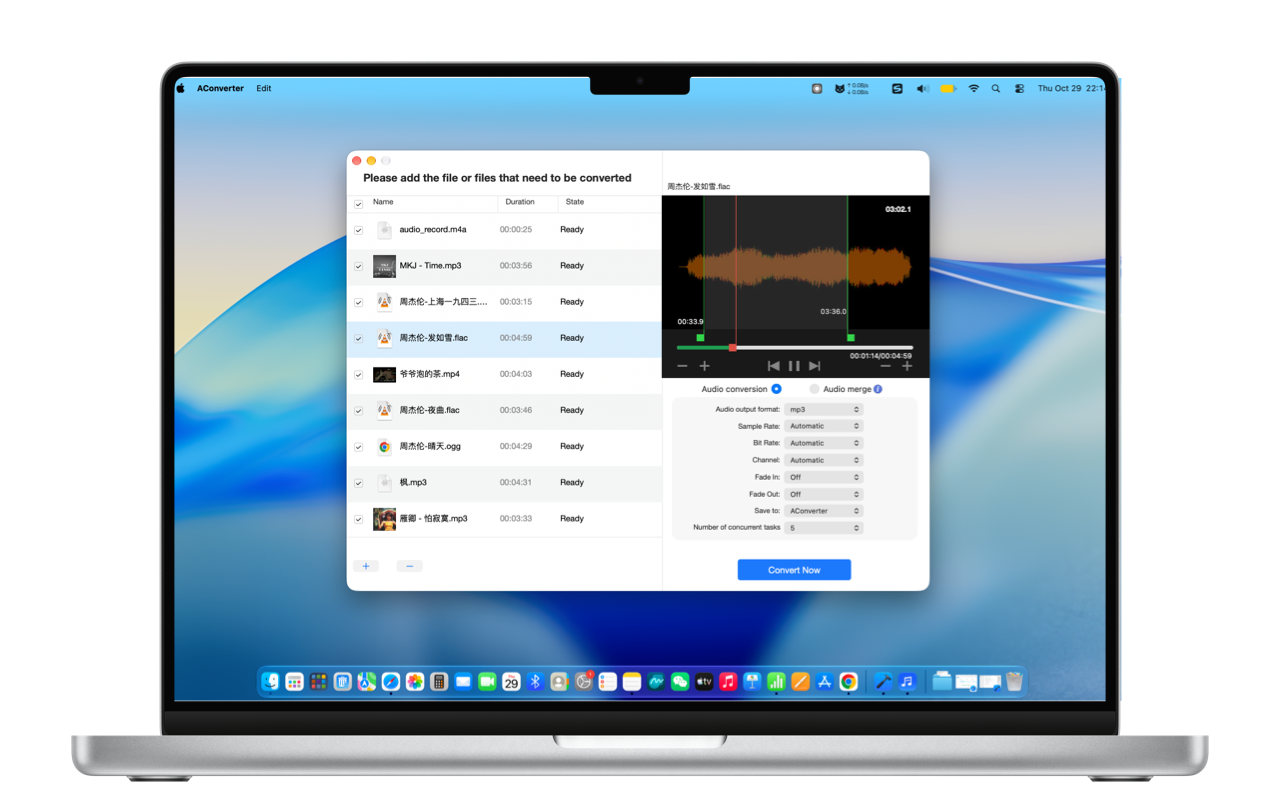
Universeller Audiokonverter für Mac: Streaming-Formate umwandeln, Audio aus Videos extrahieren, 8-Thread-Parallelarbeit und 100 % lokale Verarbeitung
Everything from streaming music format conversions to video soundtrack extraction, ringtone trims, and 8-thread batch processing.
Konvertiert proprietäre Audioformate wie QQ Music (.mflac, .mgg) und NetEase Cloud Music (.ncm) direkt in Standard-MP3 und verlustfreies FLAC — bereit für Autoradios und Hi-Fi-Player.
Unterstützt praktisch alle gängigen Audioformate: MP3, NCM, MFLAC, MGG, M4A, M4R, WAV, AIFF, FLAC, AC3, AAC, OGG, CAF, AMR, MP2, APE, WMA und viele mehr.
Extrahieren Sie reine Audiospuren blitzschnell aus MP4-, MOV-, MKV-, M4V-, AVI-, WMV-, WEBM-, FLV- und TS-Dateien, ohne sperrige Videoschnittprogramme starten zu müssen.
Exportieren Sie in MP3, M4A, M4R, WAV, AIFF, FLAC, AC3, AAC, OGG, CAF, AMR oder MP2 mit makelloser Klangtreue und ohne akustische Kompressionsartefakte.
Passen Sie Abtastraten (8 kHz bis 192 kHz), Bitraten (bis zu 320 kbps / verlustfrei), Stereokanäle sowie sanfte Ein- und Ausblendungen (Fade-In/Fade-Out) millimetergenau an.
Schöpft die Mehrkernleistung von Apple Silicon Prozessoren voll aus. Konvertieren Sie Dutzende Musiktitel parallel und sekundenschnell dank einstellbarer Gleichzeitigkeit.
Integrierter Mediaplayer mit wellenformgenauer Schnittvorschau. Schneiden Sie Lieblingspassagen heraus, fügen Sie Übergänge hinzu und exportieren Sie direkt als .m4r-Klingelton für iOS.
Fügen Sie Sprachaufnahmen oder Podcast-Abschnitte per Drag & Drop in beliebiger Reihenfolge nahtlos zusammen. 100 % lokale Verarbeitung auf Ihrem Mac garantiert absolute Datensicherheit.
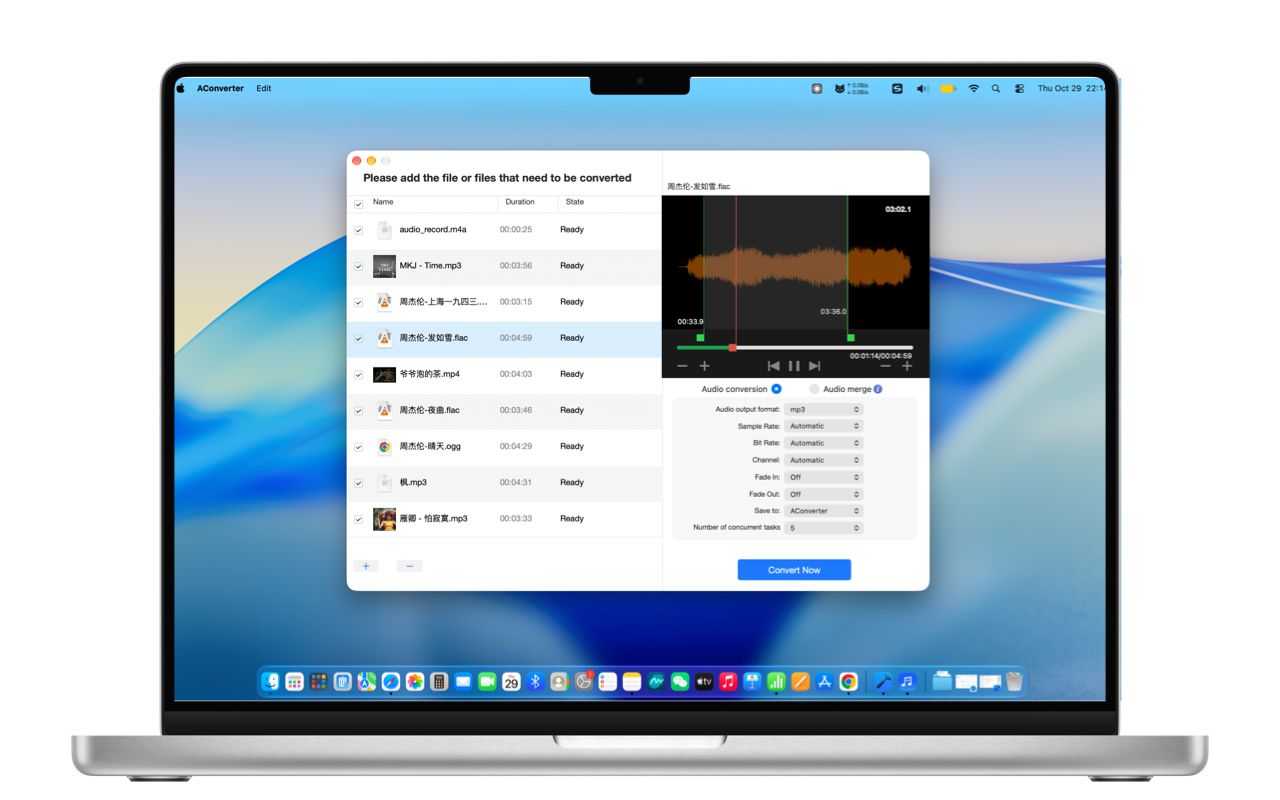
Wandeln Sie geschützte Musikdateien in kompatible MP3- und FLAC-Dateien für Ihr Auto um. Extrahieren Sie Soundtracks aus 4K-Filmen und Online-Videos mit wenigen Klicks.
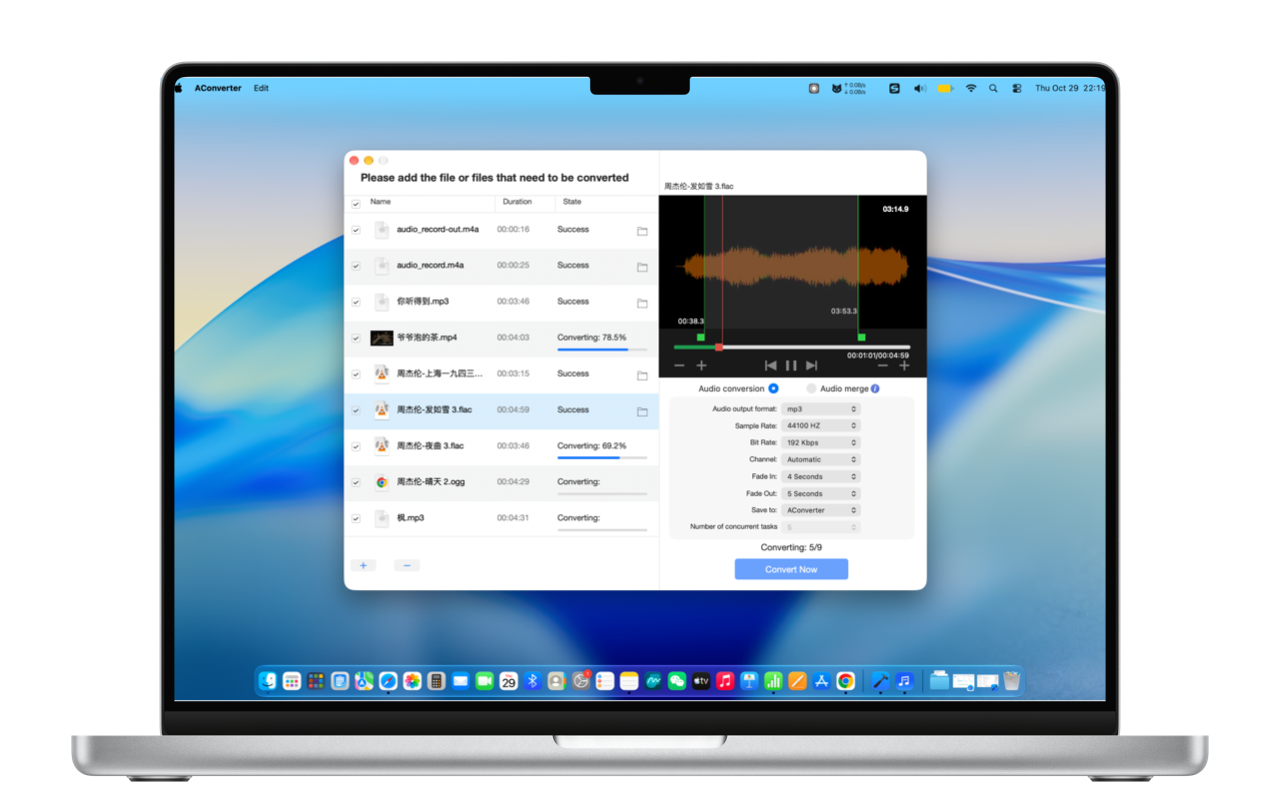
Schneiden Sie 29-sekündige Klingelton-Highlights mit weichen Einblendungen für Ihr iPhone. Verarbeiten Sie riesige Musiksammlungen im 8-Thread-Stapelbetrieb oder fügen Sie separate Spuren zusammen.
Comprehensive compatibility across streaming, video soundtracks, and archival audio.
mp3, ncm, mflac, mgg, m4a, m4r, wav, aiff, flac, ac3, aac, ogg, caf, amr, mp2, ape, wma
mp4, mov, mkv, m4v, avi, wmv, webm, flv, ts
mp3, m4a, m4r, wav, aiff, flac, ac3, aac, ogg, caf, amr, mp2
Absolutely not. AConverter executes 100% of transcoding, video extraction, waveform trimming, and concatenation locally inside your Mac's Apple Silicon/Intel hardware. No internet connection is required, ensuring zero cloud leakage for private recordings.
These extensions are proprietary packaged formats designed only for their respective desktop apps. Standard car audio stereos and Hi-Fi DAPs lack the proprietary decoders. AConverter converts them directly into standard 320kbps MP3 or lossless FLAC files ready for USB playback.
It's seamless. The exported .m4r file matches iOS specifications. Connect your iPhone to your Mac via cable, open Finder, click your iPhone in the sidebar, and drag the .m4r file directly into the device window. Then head to iOS Settings > Sounds & Haptics > Ringtone to select it.
Not at all. AConverter is optimized for Apple Silicon performance and efficiency cores. Even under full 8-thread concurrency, RAM usage stays around tens of megabytes, converting each song in just 1-2 seconds quietly in the background without stuttering.
Zero privacy risks, 8-thread local concurrency, ringtone trimmer, and audio merger. Designed natively for Mac.
Im Mac App Store laden